


Trips counted by hand
When trips are counted by hand, the operating data can contain errors and gaps. The end-of-day list may not reflect the work actually done.
 Fleet management software and operations panel
Data collection
 CAN bus telematics and vehicle tracking
Trip Counting Module
 Driver monitoring and vehicle camera system
 Hydraulic-to-electric fan conversion
A MetaTrack feature
Every trip is counted automatically.
Counts every trip from the loading site to the dumping site, automatically
The vehicle is loaded at the loading site, drives off, unloads at the dumping site and comes back. Where it is, is usually known; how many trips it made, who loaded whom and where the cycle loses time is left to hand-written lists.
When trips are counted by hand, the operating data can contain errors and gaps. The end-of-day list may not reflect the work actually done.
If the record does not show which truck was loaded by which machine, operator and machine output cannot be compared.
Without loading and trip times, you cannot tell whether time is lost at the loading site, on the road or at the dumping site.
Fuel, working time and load per trip cannot be read together; each sits in a separate record.
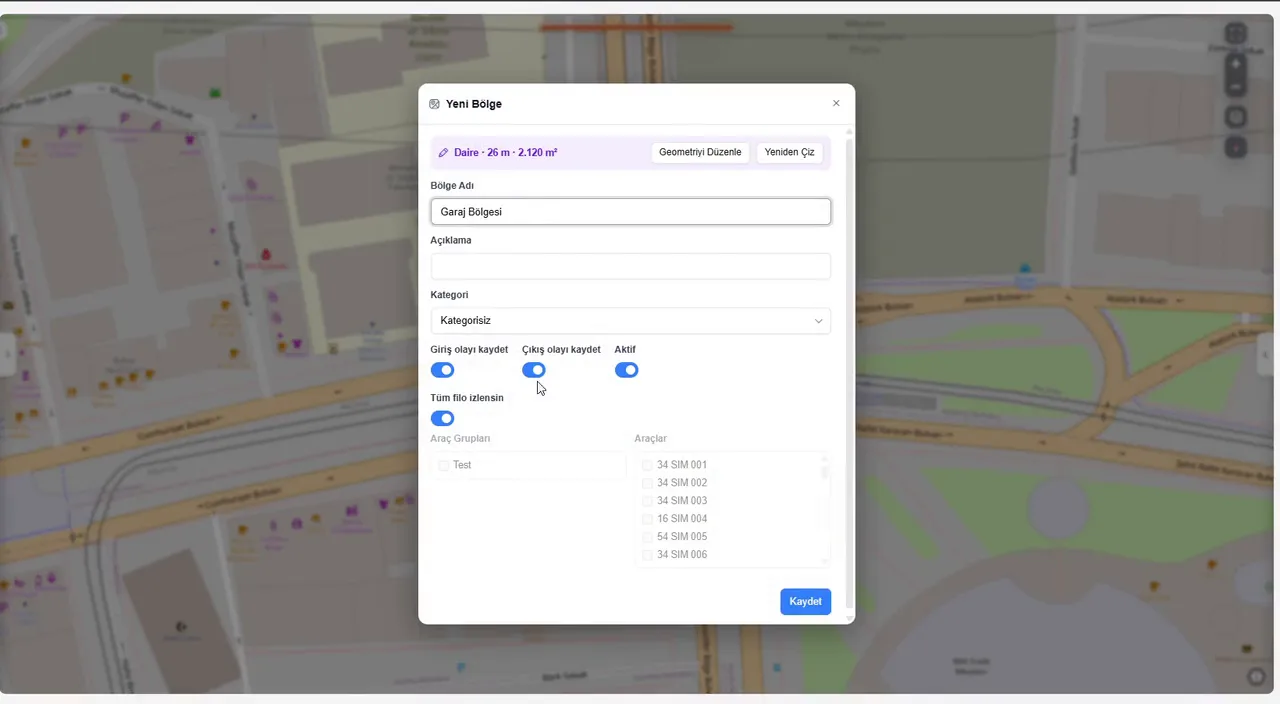
The loading site and the dumping site are each drawn as a zone in MetaFMS. The trip is derived from the vehicle's movement between the two zones, using its position and CAN data; when the vehicle returns to the loading site, the cycle starts again.
The vehicle is loaded at the loading site: a quarry, a plant, or a water or fuel filling point. If a machine does the loading, the Trip Counting Sensor on the machine records the machine and the loading time.
When the vehicle leaves the loading site, the trip starts: its start point and time are recorded, and distance and time are followed live.
The vehicle reaches the dumping site and unloads: a construction site, a tipping area, a pump or a tank.
When the vehicle leaves the dumping site, the trip is complete: its end point and time are recorded and the trip count goes up by one.
Trips, loading and trip times, fuel and load come together in one table in MetaFMS; the report shows how many times each truck was loaded, and by which machine.
Counting, matching and reporting come from the same data. The loading site, the road and the dumping site appear as parts of one cycle.

Sample interface: MetaFMS test environment; vehicles, places and values are examples.
The first three rows come from the daily trip report of one machine (EX-52) at an earthworks site; the last two from one concrete plant's trip history for 10 March to 9 April 2026. Customer and vehicle details are not shared, and the figures vary by site, zone settings and period.

Excavators load trucks in the pit; the trip report shows how many times each truck was loaded and how many seconds loading took.
The mixer is loaded at the plant and unloads on site; the trip count and cycle time come from the system record, not from a hand-kept list.
How many trips the tanker made from the water filling point to the discharge point, and how long each took: in one table.
Fuel tanker trips between the filling facility and the supply points are counted automatically, with the start and end points of every trip on record.
The fuel and load data available depend on the vehicle's CAN structure; tonnage is the vehicle's own data and has a margin of error.
The Trip Counting Module combines the vehicle's position and CAN data with the zone and trip infrastructure of the MetaFMS fleet management software. Position and CAN data come from MetaTrack. On tippers, the Trip Counting Sensor is added as a separate package in the MetaDamper package selector, and MetaVision puts the driver's behaviour on the same panel.
The loading site and the dumping site are each defined as a zone in MetaFMS. The vehicle is loaded at one and unloads at the other; when it leaves the dumping site, one trip is complete. Counting is automatic and does not rely on a hand-kept record.
The same trip-counting algorithm works for tippers, concrete mixers, water tankers and fuel tankers. The loading site is one facility, the dumping site another.
A Trip Counting Sensor is fitted to the loading machine (excavator, loader). The machine and the truck of each trip are recorded together, and the report shows how many times each truck was loaded and by which machine.
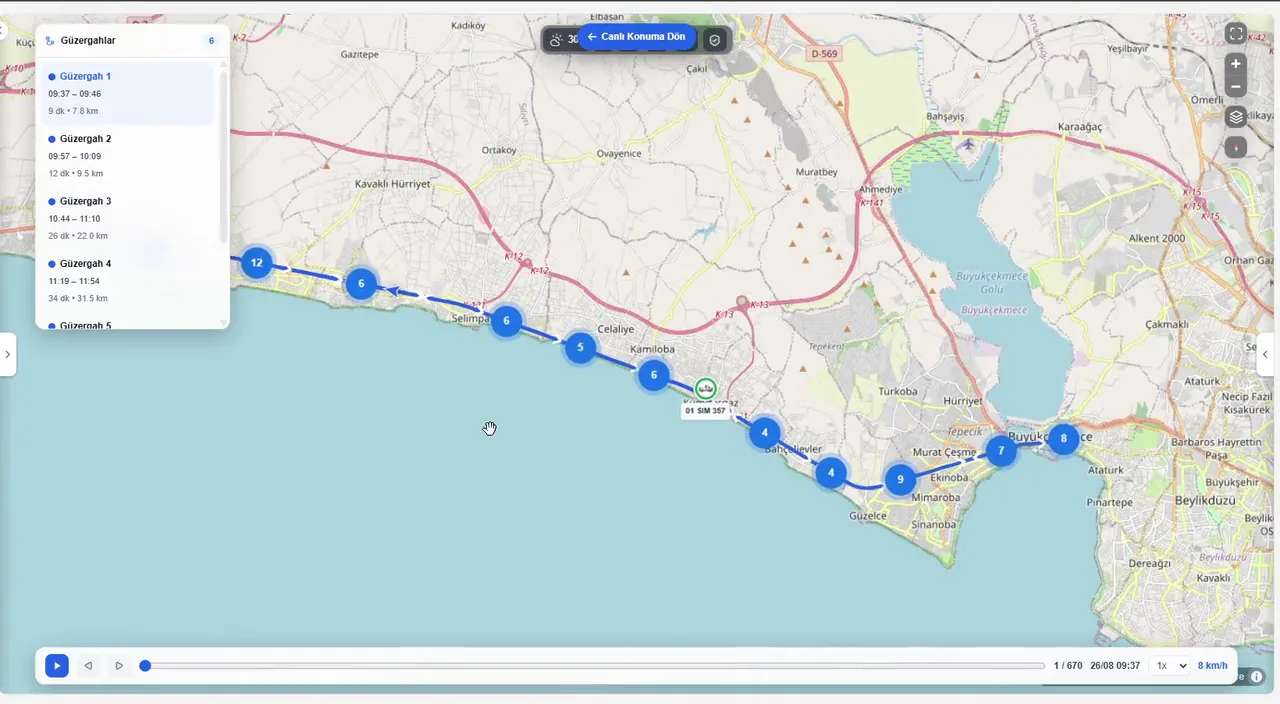
The trip's start and end points on the map; its start and end times, trip time, loading time, truck and machine on the trip card. The fuel and load data available depend on the vehicle's CAN structure.
Tonnage is the vehicle's own CAN data and has a margin of error. It does not replace a weighbridge; it is used to follow the load trip by trip.
Daily, weekly and monthly. Reports are shown in the MetaFMS panel according to each user's permissions.
Trip and time values are calculated from the zones defined for the loading site and the dumping site; results depend on the zone settings and on the data coming from the vehicle.
We plan the survey, installation and reporting around your site. Our team reviews your vehicles and recommends the right configuration.





